I gave Codex Cloud a way to call my DGX Sparks
One private Tailscale route became a video render, a review, and a second take.
I asked Imagination Studio for a cassette recorder on a college radio desk. It gave me a reel-to-reel deck. Codex Cloud sent the clip to Qwen on another machine in my lab, and Qwen picked out the exposed reels at 00:00.
I wanted that kind of handoff because I already had the models and the renderer on my own hardware. Could Codex Cloud give them work, get the results back, and use those results to make a better second pass? I started with a much smaller question. Could it get one model on my desk to say SPARK_OK?
Get one reply from the cloud
My text model runs across two DGX Sparks. The head node already had an OpenAI-compatible API on port 8888, so I started with that port. On the Spark head, I checked the existing mappings, then pointed Tailscale Serve at the API.
sudo tailscale serve status
sudo tailscale serve --bg --https=443 http://127.0.0.1:8888
I gave my private Codex Cloud environment a dedicated Tailscale tag and granted that tag access to the Spark head on TCP 443. I created a reusable, ephemeral auth key for the tag, added it under Advanced → Tailscale, and published the environment. Tailscale Serve · Codex Cloud’s VPN settings
I checked the model listing from my Mac, then asked for an actual completion from the Cloud computer. Here’s the small test readers can run with their own Serve hostname and model ID. Smoke test source
python3 spark-smoke.py https://spark.example-tailnet.ts.net your-model-id
The Cloud request came back with HTTP 200 and SPARK_OK in the model’s reply. I could now hand work to a process running on the Sparks and read the result from Codex Cloud.
Grow from one route to three
For video, I needed the same Cloud computer to do two more things. It had to start a render in Studio and hand the finished clip to Qwen. Each service got its own Tailscale Serve destination.
Codex Cloud (tag:codex-inference)
  ├─ Spark head :443    → text inference
  ├─ Studio host :8443  → start a render, check it, download it
  └─ Qwen host :443     → review the video
The Studio UI has project controls and a lot more render options than this demo needs. I wrote a small Python API in front of it. A bearer token unlocks three operations. POST /render queues one fixed shot, GET /status checks that job, and GET /video returns its MP4. The wrapper and the Studio UI listen on loopback. Studio API source
My tailnet had an allow-all grant. Tailscale grants are additive, so a new, narrower rule would have left the old access in place. I adjusted the existing rule to keep the access my users and shares needed, then wrote a separate grant for each service. Here’s the Studio grant.
{"src": ["tag:codex-inference"], "dst": ["studio-host"], "ip": ["tcp:8443"]}
Studio’s host already had another service on 443, so the demo got 8443. The policy tests check that the Cloud tag can reach the three intended ports and that destinations such as SSH and the existing Studio UI are out of reach. Full demo policy and tests
Give Qwen the clip
The brief was a close-up of an ’80s cassette recorder on a college radio desk. Codex Cloud started a fresh Studio job, waited for it to finish, and downloaded the actual MP4. Studio reported about 24 seconds for the render.
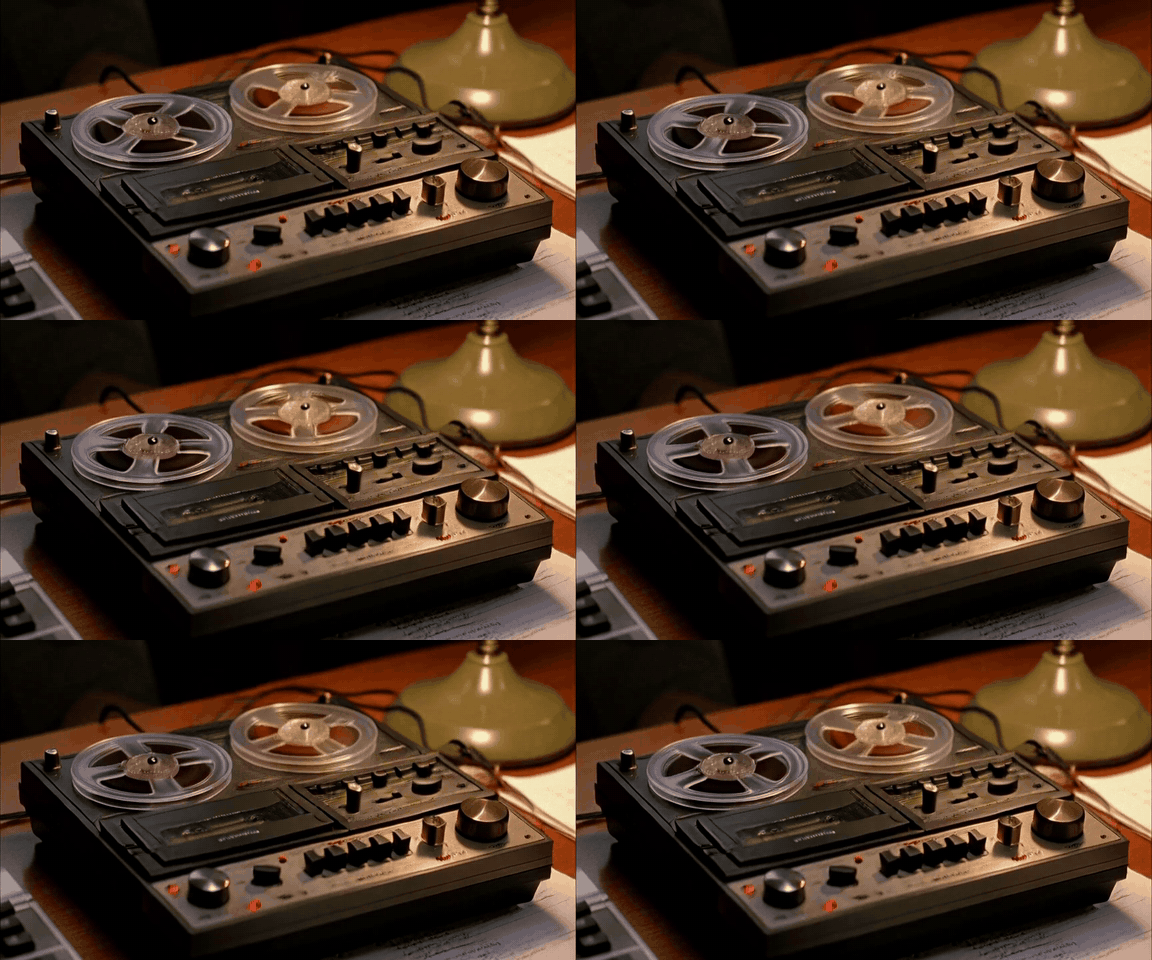
The Cloud computer put the MP4 in a video_url data URI and sent it with the brief to Qwen3.8 Flash Next. I asked it to identify the device, check whether the reels were exposed or enclosed, and give me the earliest timestamp that supported its answer. The request took 6.6 seconds with Qwen already running. It called the device a reel-to-reel recorder at 00:00 and pointed to the visible clue.
Its reels are exposed and spinning on top of the unit.
Make a second take
I used that note to revise the prompt. I specified a palm-sized player, a closed clear door, and two small hubs inside one rectangular cassette shell. I used a new seed and submitted the second take from my Mac.
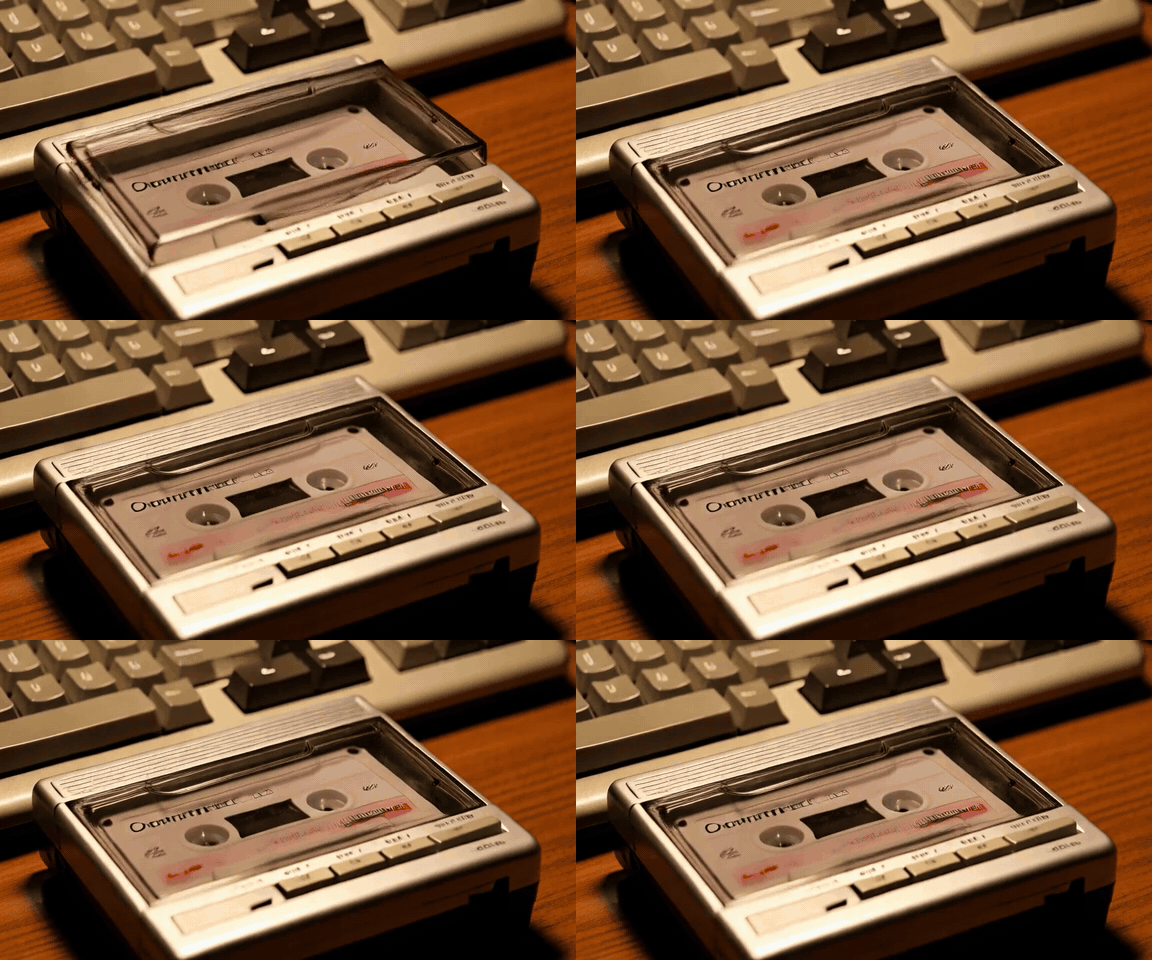
I sent the revised clip to the same Qwen endpoint from my Mac. It saw the cassette and the enclosed reels, then pointed out the computer keyboard behind the deck. The prop now matched the brief. The desk still needed to look like a radio station.
Try it with your own setup
For a private text model, start with the single Serve mapping and smoke test above. For the full video handoff, run the wrapper on your Studio host and a video-capable Qwen API on the second machine. The Gist has the host commands, the three-port policy, and where to set the Studio token in your private Cloud environment. Setup instructions · Video demo client
python3 studio-qwen-demo.py \
  --studio https://studio.example-tailnet.ts.net:8443 \
  --qwen https://qwen.example-tailnet.ts.net \
  --model qwen3.8-flash-next \
  --output campus-radio.mp4
Comments
Join the discussionNo comments yet. Be the first to comment.